Introduction
If you’ve spent any time in SEO, content marketing, or running a website, you’ve probably run into the name Ahrefs. But what is Ahrefs, exactly, and is it worth the price tag?
Ahrefs is an SEO and marketing platform that provides data and tools for keyword research, backlink analysis, competitor research, technical site audits, rank tracking, and content research. Built on its own web crawler and a large backlink and keyword index, Ahrefs helps marketers, agencies, and website owners understand what people search for, how competitors rank, and where their own sites have technical or content problems.
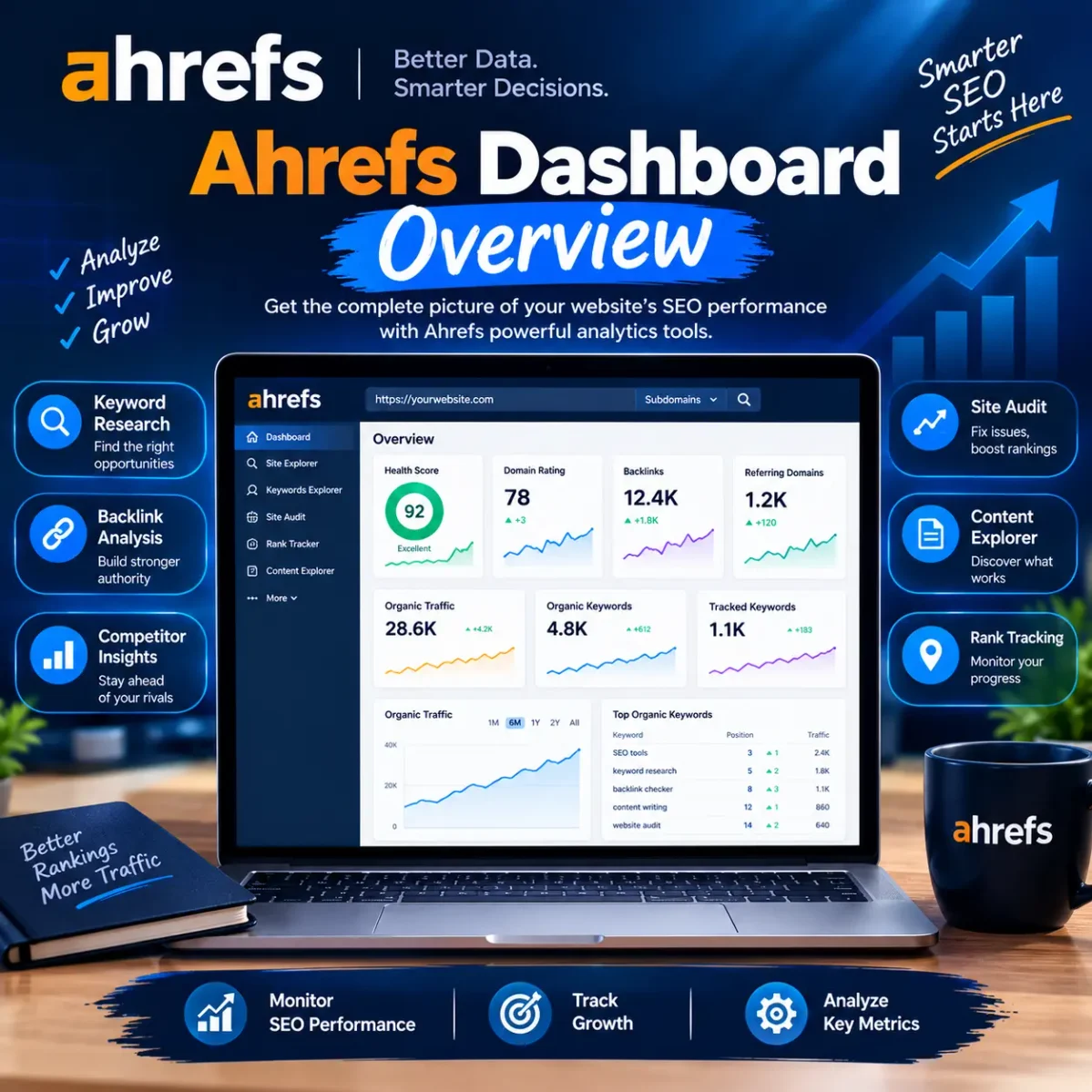
Ahrefs has also expanded well beyond its original toolset. It now includes web analytics, AI-visibility tracking (Brand Radar), an AI content assistant, social media scheduling, and a report builder — reflecting how SEO work has broadened to include AI search engines like ChatGPT and Google AI Overviews alongside traditional Google rankings.
This guide walks through what Ahrefs actually does, how to use its core tools, what the Free and Starter plans include, what Ahrefs costs in 2026, and how it compares to alternatives — including an honest look at Ahrefs Group Buy services and why they’re riskier than they look.
Ahrefs SEO Tools: Complete Overview
Ahrefs is a subscription-based SEO toolset built around its own index of the web. Instead of pulling data from Google’s own tools, Ahrefs crawls billions of pages itself and uses that data to estimate search volumes, map backlink profiles, and score keyword difficulty.
Its core tools are:
- Site Explorer — research any website’s organic traffic, top pages, and backlink profile
- Keywords Explorer — keyword research and search-demand data
- Site Audit — technical and on-page SEO auditing
- Rank Tracker — monitor keyword rankings over time
- Content Explorer — find high-performing content and link/mention opportunities (available on Standard plans and above)
Around these, Ahrefs has built out a broader marketing suite: Web Analytics, Brand Radar (AI search visibility), an AI Content Helper, a Report Builder, and a Social Media Manager. The result is a platform that covers most of the research side of SEO — though it’s still primarily a data and research tool, not a content-writing or publishing platform.
The advantage of having all of this in one place is that your workflows connect. You can research a keyword in Keywords Explorer, check who’s ranking for it in Site Explorer, see if your own site has technical issues blocking it in Site Audit, and then track your position over time in Rank Tracker — all using the same underlying data.
Ahrefs’ Core SEO Tools, Explained
Site Explorer
Site Explorer is Ahrefs’ tool for analyzing any website — yours or a competitor’s. It surfaces organic traffic estimates, top-performing pages, ranking keywords, backlink and referring-domain data, and paid search activity.
A practical example: enter a competitor’s domain, sort their top pages by estimated organic traffic, and you can quickly see which topics and content formats are actually working for them. This is also where most website backlink analysis happens — you can see which sites link to a domain, which specific pages earn those links, and how a backlink profile has changed over time.
Keywords Explorer
Ahrefs Keywords Explorer is the dedicated keyword research tool. Type in a seed keyword and it returns search volume estimates, Keyword Difficulty (KD), Traffic Potential, a Parent Topic grouping, and hundreds of related keyword ideas.
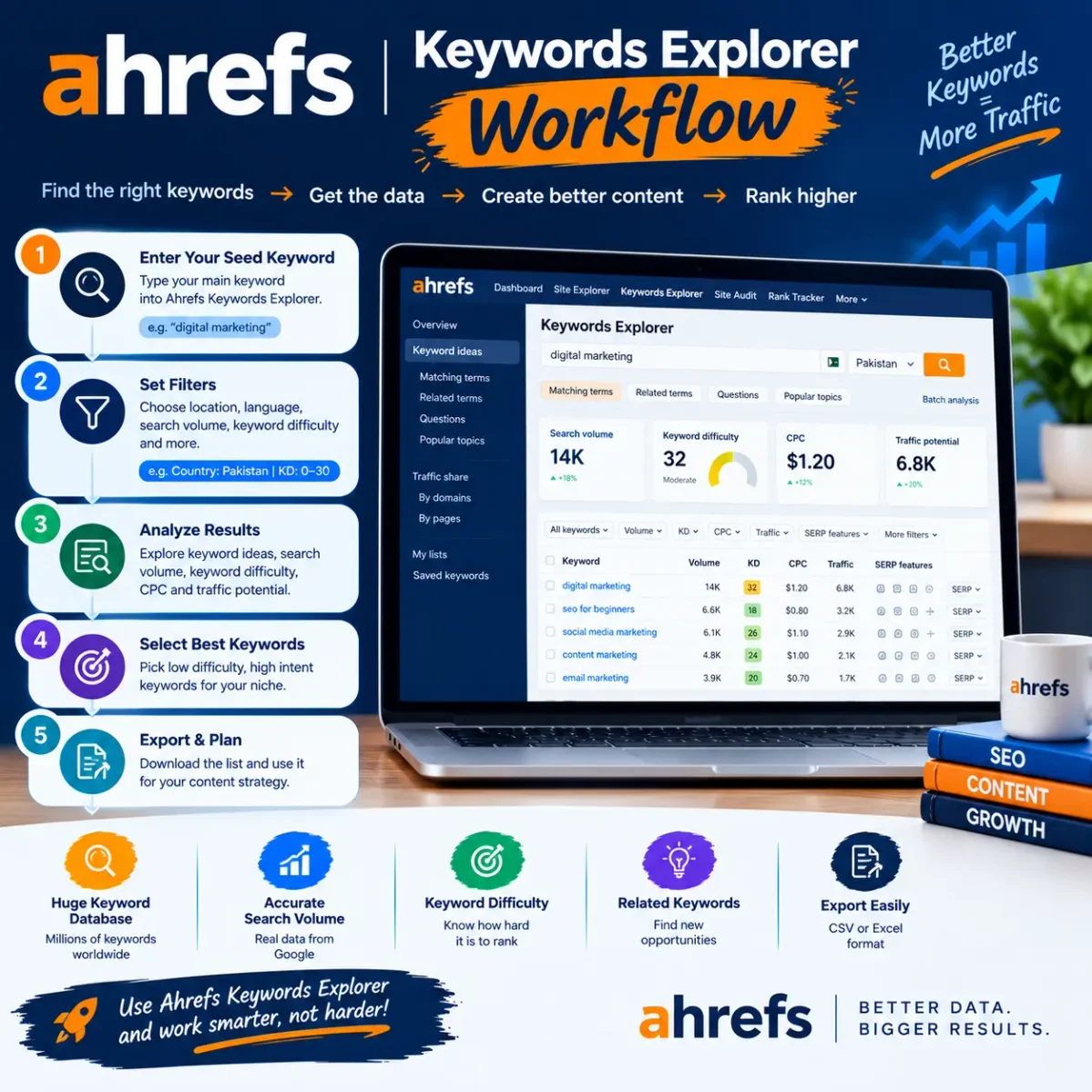
As of Ahrefs’ current published figures, Keywords Explorer draws on roughly 28.7 billion filtered keywords out of a much larger discovered database (Ahrefs has cited figures upward of 100 billion total discovered keywords across 200+ locations). These numbers shift as Ahrefs updates its index, so treat any specific figure as a snapshot rather than a fixed spec.
A few terms worth defining, since Ahrefs leans on its own metrics:
- Keyword Difficulty (KD) — an estimate of how hard it would be to rank in the top 10, based mainly on the backlink profiles of currently ranking pages. It’s a rough signal, not a guarantee.
- Traffic Potential — an estimate of the total organic traffic the top-ranking page gets from all the keywords it ranks for, not just the one you searched. This is often more useful than raw search volume, since a single page can rank for hundreds of related terms.
The mistake beginners make is chasing the keyword with the biggest search volume number. A better approach weighs volume against difficulty, search intent, and how relevant the keyword actually is to your business.
Site Audit
Site Audit crawls a website and flags technical and on-page issues — broken links, redirect chains, duplicate content, missing or duplicate title tags, indexability problems, slow pages, broken images, structured data errors, and more. Ahrefs currently describes the tool as checking against 170+ on-page and technical SEO issues, per its own plan documentation.
This is the tool you’d reach for after publishing content, when you want to know why pages aren’t being indexed properly or why Google Search Console is flagging crawl errors.
Rank Tracker
Rank Tracker monitors your target keywords’ positions over time and lets you compare your visibility against competitors, on desktop and mobile, across a large number of countries and locations.
How many keywords you can track depends entirely on your plan — and this is one of the most commonly confused details in Ahrefs pricing, so it’s worth being precise:
- Starter ($29/month): 50 tracked keywords
- Lite ($129/month): 750 tracked keywords
- Standard ($249/month): 2,000 tracked keywords
- Advanced ($449/month): 5,000 tracked keywords
If you’ve seen an article claim Starter includes 750 tracked keywords, that’s incorrect — 750 is the Lite plan’s limit, not Starter’s.
Content Explorer
Content Explorer is a searchable database of web pages — Ahrefs has cited figures in the high-teens-to-twenty-billion-page range in 2026 — that lets you find top-performing content on a topic, sorted by organic traffic, backlinks, or social shares. It’s also useful for finding brand mentions and link-building prospects.
One detail the original version of this guide got wrong: Content Explorer is not included on the Starter or Lite plans. It requires the Standard plan ($249/month) or higher. If keyword-driven content research is central to your workflow, that’s a meaningful cost consideration.
How to Use Ahrefs Keywords Explorer (Step by Step)
If you’re new to Ahrefs, Keywords Explorer is the easiest place to start.
1. Enter a seed keyword. After signing into your Ahrefs account, open Keywords Explorer and type in something related to your site or business — say, “SEO tools.”
2. Check search volume, but don’t stop there. Volume tells you how many searches a term gets, but a high-volume keyword surrounded by entrenched competitors may be a worse bet than a lower-volume keyword that closely matches your audience.
3. Check Keyword Difficulty. KD gives you a rough sense of how competitive a keyword is based on the backlink strength of current top-ranking pages. Your actual odds also depend on your site’s authority, content quality, and topical relevance — KD is one input, not the whole picture.
4. Identify search intent. “What is SEO” is informational. “Best SEO tools” is commercial investigation. “Buy SEO software” is transactional. Someone searching “what is Ahrefs” wants an explanation, not a sales pitch — which is exactly why aggressive product pages tend to underperform for this kind of query.
5. Read the SERP itself. Before committing to a keyword, look at what’s actually ranking. What format are the top results in? What do they cover well, and what’s missing? That gap is often your best opening.
Keyword Research With Ahrefs: Beyond the Basics
Effective keyword research with Ahrefs means weighing several signals together rather than optimizing for one number.
Long-tail keywords — longer, more specific queries like “Ahrefs keyword research for beginners” — often carry clearer intent and less competition than broad head terms. But length alone doesn’t guarantee an easy ranking; you still need to check competition and SERP quality for each one.
Competitor keyword research is one of Ahrefs’ strongest use cases. The Content Gap tool shows keywords your competitors rank for that you don’t, surfacing topics you may have missed entirely. The goal isn’t to copy competitor pages — it’s to spot where a genuinely better resource could win.
Traffic Potential matters more than raw volume in many cases, because SERP features like ads, AI Overviews, and featured snippets increasingly absorb clicks before they reach organic results. A keyword with moderate volume but low SERP competition can outperform a bigger keyword buried under ads and AI summaries.
Backlink Analysis and Competitor Research
Backlinks — links from other sites pointing to yours — remain a core ranking signal, which makes website backlink analysis one of Ahrefs’ most-used features.
With Site Explorer, you can check your own backlink profile (new links, lost links, referring domains, anchor text patterns) or study a competitor’s. If a competitor’s article ranks well, examining who links to it can reveal realistic, relevant link-building opportunities — sites that already publish content in your space and might link to something similarly useful from you.
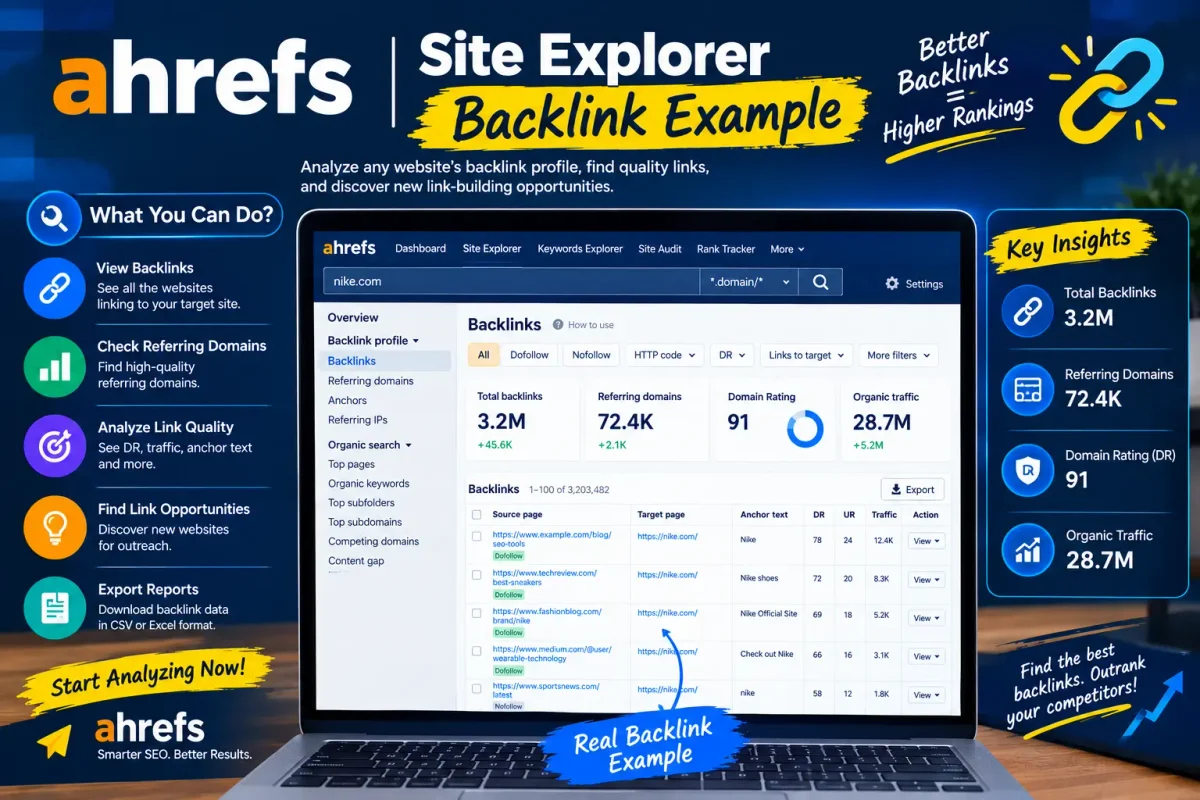
For broader competitor research, Ahrefs’ Content Gap and Link Intersect tools help identify keyword and backlink opportunities systematically, rather than one competitor at a time. Used well, this data should inform original content and outreach — not direct copying of competitor pages or link profiles.
Who Actually Needs an Ahrefs Account?
Ahrefs is genuinely useful across several types of users, though the right plan varies a lot by use case:
- Bloggers and solo website owners researching keywords and checking their own backlink health
- Freelance SEOs running audits, tracking rankings, and researching keywords across a handful of client sites
- Agencies managing SEO for multiple clients, where higher project and user limits matter
- Digital marketers who need competitive and content-gap research alongside their own campaigns
The honest caveat: if you run one small site and check it a few times a month, Ahrefs may be more tool than you need.
Ahrefs Free: What You Actually Get
Ahrefs Free (formerly Ahrefs Webmaster Tools) gives ongoing — not trial — access to a limited set of tools for an unlimited number of verified websites (sites you can prove ownership of). According to Ahrefs’ own current plan documentation, it includes:
- Site Explorer — up to 1,000 keywords, backlinks, or top pages visible at once
- Site Audit — 5,000 crawl credits per verified project per month, checked against 170+ on-page and technical SEO issues
- Web Analytics — up to 1 million events
- Social Media Manager — unlimited channels and posts (while in beta)
- AI Content Helper — 5 documents per month
Importantly, Keywords Explorer and Rank Tracker are not included on Ahrefs Free — those require at least the Starter plan. Because free-tier limits do change over time, it’s still worth confirming current numbers on Ahrefs’ own free-plan page before relying on them for planning.
Ahrefs Starter Plan: Pricing and Limits
The Starter plan is Ahrefs’ $29-per-month entry point for people who’ve outgrown the Free tier but aren’t ready for Lite. According to Ahrefs’ own plan documentation, Starter includes:
| Feature | Starter detail |
|---|---|
| Price | $29/month, monthly billing only |
| Credits | 200 credits/month (spent on most Site Explorer and Keywords Explorer reports) |
| Tracked keywords | 50 |
| Tools included | SEO Dashboard, Site Explorer, Keywords Explorer, Site Audit, Rank Tracker, SEO Toolbar, Web Analytics, Social Media Manager |
| Projects | 1 unverified project, unlimited verified projects |
| Add-ons | Additional users, credits, or add-ons cannot be purchased on this plan |
| Downgrades | You cannot downgrade to Starter from Lite or a higher plan |
Site Audit and Rank Tracker don’t consume credits on Starter — they run on their own separate limits. Ahrefs also notes that Starter’s features and limits “may be changed without prior notice,” so it’s worth checking the current plan page before subscribing if precise numbers matter to your decision.
The key fact worth repeating clearly: Starter includes 50 tracked keywords, not 750. The 750-keyword allowance belongs to the $129/month Lite plan.
Ahrefs Pricing: The Full Picture (2026)
Beyond Starter, Ahrefs’ paid tiers are:
| Plan | Price/month | Unverified projects | Verified projects | Tracked keywords | Historical data |
|---|---|---|---|---|---|
| Starter | $29 | 1 | Unlimited | 50 | Limited |
| Lite | $129 | 5 | Unlimited | 750 | 6 months |
| Standard | $249 | 20 | Unlimited | 2,000 | 2 years |
| Advanced | $449 | 50 | Unlimited | 5,000 | 5 years |
| Enterprise | $1,499 (annual commitment) | 100 | Unlimited | 10,000+ | Unlimited |
On every plan, projects for websites you can verify ownership of are unlimited — the numbers above are caps on unverified project slots only. A few other things worth knowing before you commit: annual billing saves roughly 17% on Lite and above (Ahrefs frames it as “2 months free”). Starter has no annual discount and can only be billed monthly. Content Explorer, Portfolios, and several advanced features are Standard-plan-and-up only. Extra users cost $40–$100/month per seat depending on tier. Ahrefs does not run discount promotions and does not offer a free trial on paid plans — Ahrefs Free and the $29 Starter plan are the two low-cost ways to evaluate the platform.
Because pricing and limits shift, treat the table above as a snapshot and check Ahrefs’ official pricing page before subscribing.
Is Ahrefs Worth It?
For SEO professionals, agencies, and content-driven businesses where organic search is a real growth channel, Ahrefs is generally considered one of the two or three most capable platforms available, largely on the strength of its backlink index and keyword data.
For smaller, low-frequency use cases, it’s a harder sell. If you manage one personal blog and do occasional keyword checks, Ahrefs Free, the $29 Starter plan, or a cheaper alternative may cover what you actually need — and Content Explorer, larger crawl limits, and higher keyword-tracking caps that come with the pricier tiers won’t get used.
Worth weighing before subscribing:
- How often you actually do keyword research
- Whether you need Content Explorer (only on Standard+)
- How many keywords you realistically need to track
- How many sites or clients you manage
- Whether the credit system on Starter/Lite will feel restrictive for your usage volume
Ahrefs Alternatives
Ahrefs isn’t the only serious SEO platform. Common alternatives include:
- Semrush — broader marketing suite, strong for paid search alongside organic
- SE Ranking — generally cheaper, solid all-around feature set
- Moz Pro — historically strong on domain authority metrics, smaller backlink index
- Ubersuggest — budget-friendly, more limited data depth
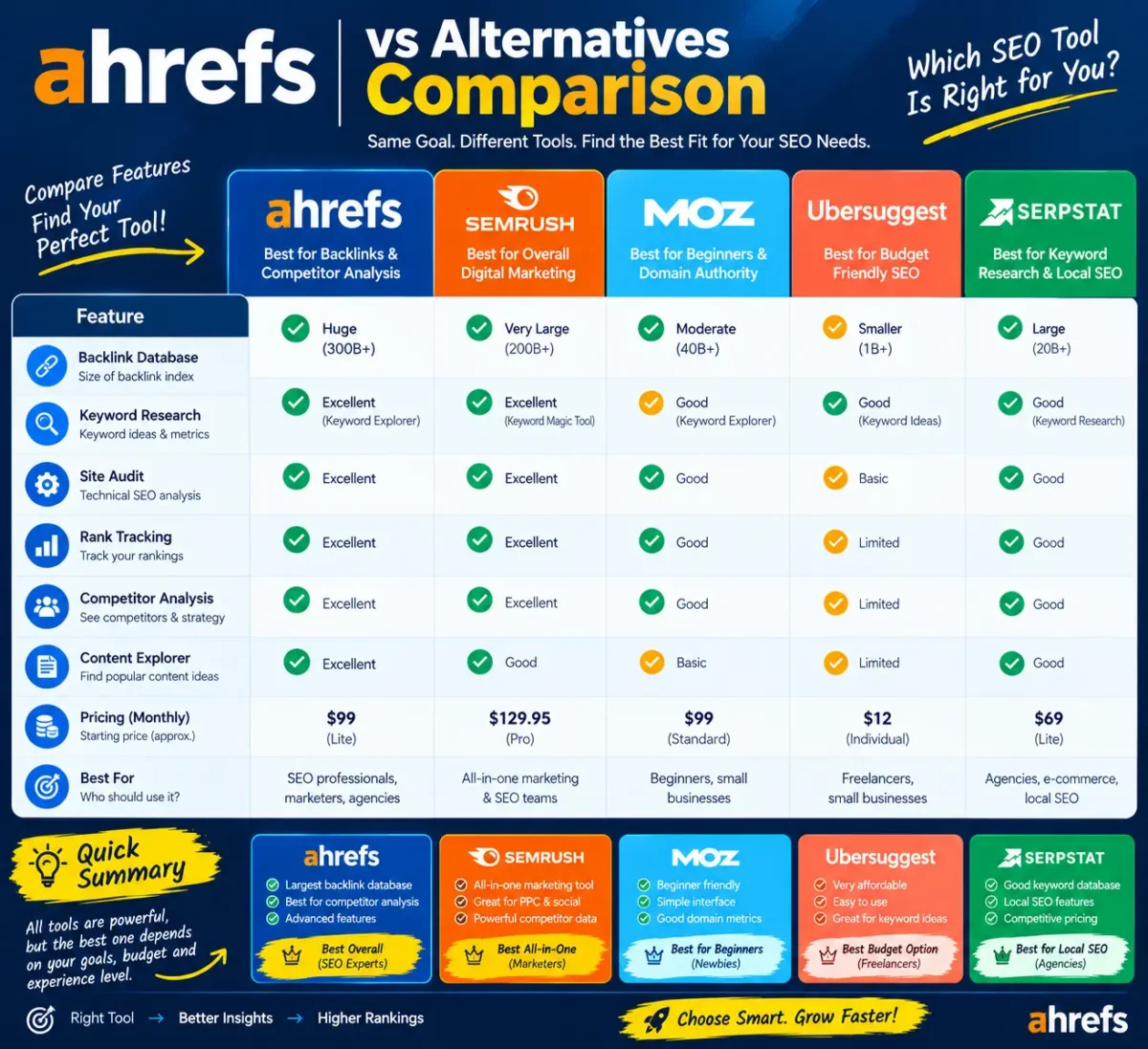
None of these is a strict upgrade or downgrade from Ahrefs — the right fit depends on whether backlink depth, pricing, paid-search integration, or ease of use matters most to you. If backlinks are your priority, compare index size and freshness directly. If keyword research is the priority, compare database size, SERP analysis depth, and how each tool handles Traffic Potential-style metrics.
Ahrefs Group Buy: What to Know Before You Consider One
Searches for “Ahrefs Group Buy” or “group buy Ahrefs” are common, usually from people looking for premium SEO data at a fraction of the official price. It’s worth understanding what these services actually are before considering one.
A group-buy service is a third-party arrangement — unaffiliated with Ahrefs — where a provider sells shared or managed access to one Ahrefs account among many unrelated users. This is different from Ahrefs’ own multi-user plans, which are official and controlled by Ahrefs itself.
Common issues with shared-access group-buy services include:
- Shared login credentials, with no guarantee of consistent access
- Frequent login interruptions when the account gets flagged or reset
- No support from Ahrefs if something goes wrong, since you’re not the account holder
- Privacy and security exposure, since you’re trusting a third party with search and project data
- Reliability risk — providers can disappear or lose access without notice
- Potential conflicts with Ahrefs’ own terms of service around account sharing
These risks vary by provider, and this isn’t a legal judgment on any specific service — just a practical one: for any work you depend on (client SEO, ongoing projects, research you can’t afford to lose access to), owning your own subscription gives you control that shared access can’t.
Getting More Out of Ahrefs
However you access it, a few habits make Ahrefs meaningfully more useful:
- Start with a specific goal — new keywords, a competitor audit, backlink opportunities — rather than opening tools aimlessly.
- Chain the tools together. Use Keywords Explorer to find opportunities, Site Explorer to check who’s already winning, Site Audit to rule out technical blockers on your own site, and Rank Tracker to monitor progress.
- Always check the actual SERP, not just the metrics. Difficulty scores and volume numbers don’t tell you what searchers actually want to see.
- Weight relevance over volume. A smaller, highly relevant keyword usually converts better than a large, loosely related one.
Frequently Asked Questions
What is Ahrefs used for?
Ahrefs is used for keyword research, backlink analysis, competitor research, technical site audits, rank tracking, and content research — the core research work behind most SEO strategies.
Is Ahrefs good for beginners?
Yes, though the learning curve is real. Beginners can start with Keywords Explorer and Site Explorer on the Free or Starter plan and expand from there as their needs grow.
What is Ahrefs Keyword Explorer?
It’s Ahrefs’ keyword research tool, showing search volume, Keyword Difficulty, Traffic Potential, and related keyword ideas for any seed term.
Can Ahrefs analyze backlinks?
Yes, through Site Explorer, which shows backlinks, referring domains, anchor text, and how a site’s backlink profile has changed over time — for your own site or a competitor’s.
Does Ahrefs have a free account?
Yes. Ahrefs Free gives ongoing, limited access to five tools — Site Explorer, Site Audit, Web Analytics, Social Media Manager, and AI Content Helper — for websites you can verify ownership of. Keywords Explorer and Rank Tracker require at least the Starter plan.
What is the Ahrefs Starter plan, and how much does it cost?
Starter is Ahrefs’ $29/month entry-level paid plan, billed monthly only. It includes 200 credits/month, 50 tracked keywords, and access to Site Explorer, Keywords Explorer, Site Audit, and Rank Tracker.
How many keywords can Ahrefs Starter track?
50. The 750-keyword limit belongs to the Lite plan ($129/month), not Starter — a distinction that’s frequently reported incorrectly.
Is Ahrefs worth paying for?
For regular SEO work — ongoing keyword research, competitor tracking, backlink monitoring — yes, for most professionals and agencies. For occasional, light use, the Free plan or a cheaper alternative may be enough.
What are the best Ahrefs alternatives?
Semrush, SE Ranking, Moz Pro, and Ubersuggest are the most commonly compared alternatives, each with different strengths in pricing, backlink depth, and feature breadth.
What is an Ahrefs Group Buy?
A third-party service, unaffiliated with Ahrefs, that sells shared access to a single Ahrefs account among multiple users. It typically comes with reliability, privacy, and account-security risks that an official subscription doesn’t carry.
Final Thoughts
Ahrefs is a research platform built around one of the largest independent web indexes in SEO — useful for keyword research, backlink analysis, technical audits, rank tracking, and increasingly, AI search visibility. Whether it’s worth paying for comes down to how much of that data you’ll actually use.
Before subscribing, it’s worth mapping your real needs — keyword volume, number of sites, backlink research depth — against the plan tiers rather than defaulting to the cheapest or most popular option. And if you’re tempted by a Group Buy listing because of the price gap, weigh that against the reliability and support you’d be giving up.
SEO Information
SEO Title: What Is Ahrefs? SEO Tools, Pricing & Alternatives (2026) (56 characters)
Meta Description: What is Ahrefs? A clear guide to Ahrefs’ SEO tools, keyword research, pricing plans, and alternatives — so you can decide if it’s worth it. (155 characters)
URL Slug: /what-is-ahrefs/
Featured Snippet Answer (46 words): Ahrefs is an SEO and marketing platform that provides tools and data for keyword research, backlink analysis, competitor research, technical site audits, rank tracking, and content research. It’s built on Ahrefs’ own web crawler and index, and is used by marketers, agencies, and website owners worldwide.
Primary Keyword: what is Ahrefs
Secondary/Semantic Keywords: Ahrefs SEO tools, Ahrefs Keyword Explorer, Ahrefs keyword research, keyword research with Ahrefs, Ahrefs account, Ahrefs Free, Ahrefs Starter, Ahrefs pricing, Ahrefs alternatives, Ahrefs Group Buy, group buy Ahrefs, Ahrefs backlink analysis, website backlink analysis, competitor analysis, SEO tools, SEO software, keyword research tool, backlink checker, competitor research, technical SEO, rank tracking, content research
Image Plan
- Ahrefs dashboard overview — Placement: after the intro/”What Is Ahrefs” section. Shows: a labeled overview of the main Ahrefs dashboard tools (Site Explorer, Keywords Explorer, Site Audit, Rank Tracker, Content Explorer). Alt text: “Overview of Ahrefs’ main SEO dashboard tools”
- Keywords Explorer workflow — Placement: in the “How to Use Keywords Explorer” section. Shows: the step-by-step process of entering a seed keyword and reviewing volume, KD, and Traffic Potential. Alt text: “Example keyword research workflow in Ahrefs Keywords Explorer”
- Site Explorer backlink example — Placement: in the backlink analysis section. Shows: an example backlink/referring-domains report structure. Alt text: “Example backlink analysis report structure in Ahrefs Site Explorer”
- Competitor research workflow diagram — Placement: in the “Competitor Research” section. Shows: a simple flow of using Content Gap and Link Intersect to find keyword and backlink gaps. Alt text: “Workflow diagram for competitor keyword and backlink research”
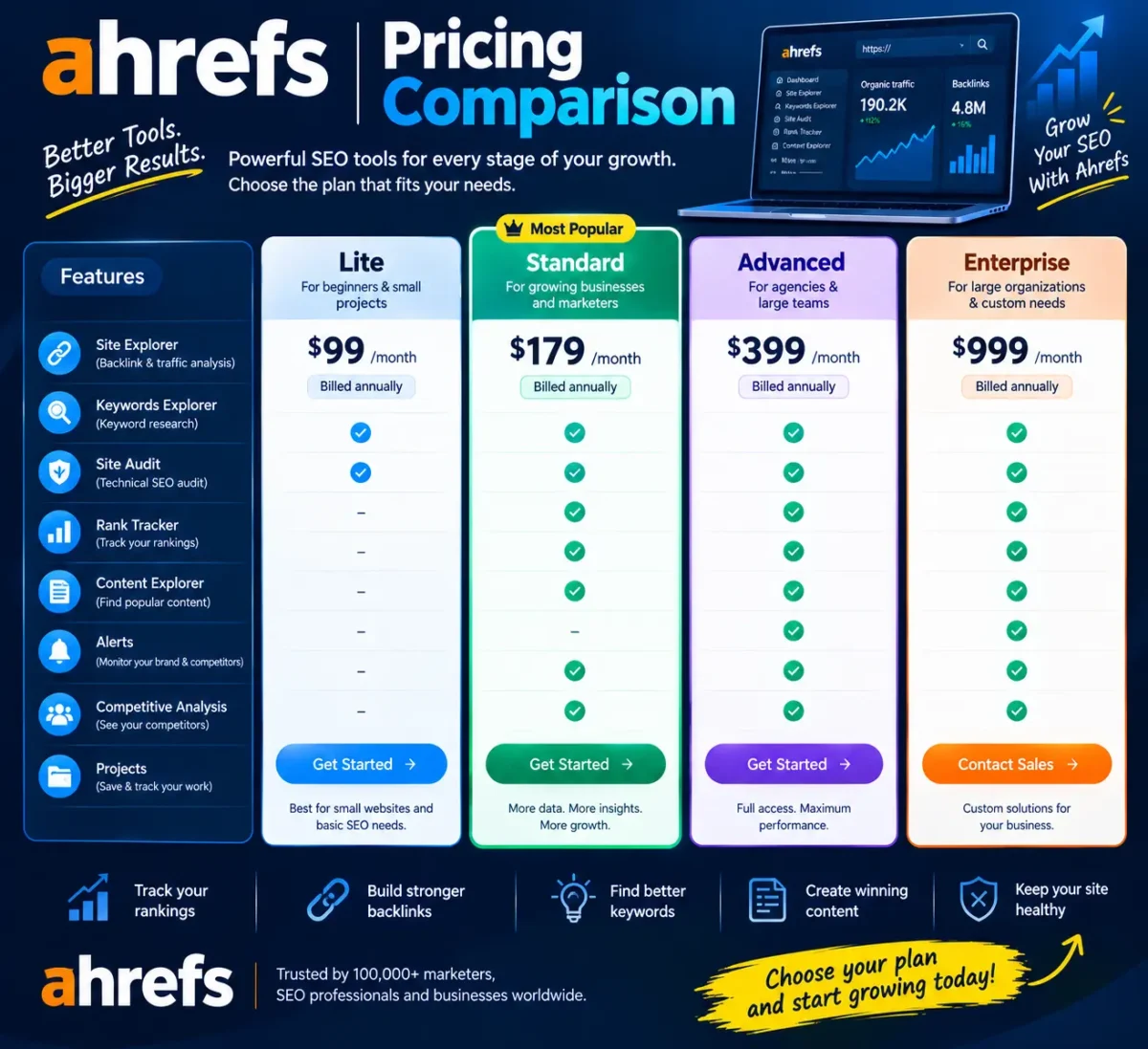
- Ahrefs pricing comparison table (visual) — Placement: in the pricing section, alongside the text table. Shows: Starter vs Lite vs Standard vs Advanced at a glance. Alt text: “Comparison of Ahrefs Starter, Lite, Standard, and Advanced plan pricing”
- SEO workflow using Ahrefs — Placement: in “Getting More Out of Ahrefs.” Shows: a simple cycle — Keywords Explorer → Site Explorer → Site Audit → Rank Tracker. Alt text: “SEO research workflow connecting Ahrefs’ core tools”
- Ahrefs vs alternatives feature comparison — Placement: in the Alternatives section. Shows: a simple feature/price comparison grid of Ahrefs, Semrush, SE Ranking, Moz Pro, Ubersuggest. Alt text: “Feature comparison of Ahrefs and popular SEO tool alternatives”
Internal Linking Plan
| Anchor text | Recommended topic/page | Suggested placement |
|---|---|---|
| “Ahrefs pricing” | Dedicated Ahrefs pricing breakdown page | Pricing section |
| “Ahrefs vs Semrush” | Head-to-head comparison page | Alternatives section |
| “Ahrefs alternatives” | Broader alternatives roundup | Alternatives section |
| “Ahrefs Group Buy risks” | Deeper dive on shared-access risks | Group Buy section |
| “best SEO tools” | General SEO tools roundup | Introduction |
| “keyword research guide” | Standalone keyword research how-to | Keyword research section |
Fact-Check Notes (corrections vs. the original draft)
- Starter plan keyword tracking: Confirmed accurate at 50 tracked keywords (not 750, which belongs to Lite). This was correctly flagged in the original draft and is preserved.
- Content Explorer availability: The original article implied Content Explorer was broadly available; current official information shows it requires the Standard plan ($249/month) or higher — not included on Starter or Lite. This is a meaningful correction.
- Content Explorer database size: The original cited “16.9 billion pages.” Current third-party reporting on Ahrefs’ own published figures puts this in the high-teens-to-20-billion range as of 2026; exact figure changes with each index update, so the rewrite uses a range rather than a single fixed number.
- Keywords Explorer database size: The “28.7 billion filtered keywords” figure checks out against current reporting; the “110 billion total discovered keywords” figure is less consistently reported across sources, so the rewrite treats it as an approximate, changeable figure rather than a fixed spec.
- Site Audit issue count (“170+”): Now independently confirmed against Ahrefs’ own current plan documentation — the original draft’s figure was accurate.
- Ahrefs Free plan tools/limits: Confirmed directly against Ahrefs’ own plan documentation: Site Explorer shows up to 1,000 keywords/backlinks/top pages at once, Site Audit includes 5,000 crawl credits per verified project per month, Web Analytics covers up to 1 million events, Social Media Manager is unlimited (while in beta), and AI Content Helper includes 5 documents/month. Note this last figure differs from the original draft, which stated “1 AI Content Helper document per month” — current documentation shows 5, so this was corrected upward.
- Pricing for Lite, Standard, Advanced, Enterprise: Verified directly against Ahrefs’ official pricing page: Lite $129/mo (750 tracked keywords, 6 months historical data), Standard $249/mo (2,000 tracked keywords, 2 years historical data), Advanced $449/mo (5,000 tracked keywords, 5 years historical data), Enterprise $1,499/mo (annual commitment required). These were largely consistent with the original draft’s figures.
- Project limits table: The original implied a single flat “projects” number per plan. Ahrefs’ official compare table shows this is actually two separate figures — a cap on unverified projects (5/20/50/100 across Lite–Enterprise) versus unlimited verified projects on every paid plan. The table was corrected to show both columns so it doesn’t read as a hard cap on total sites managed.
- No free trial: Added clarification that Ahrefs does not offer a free trial on paid plans — this wasn’t addressed in the original draft but is relevant to reader expectations.